Bluetooth and Wi-Fi Connectivity For Legacy Printers
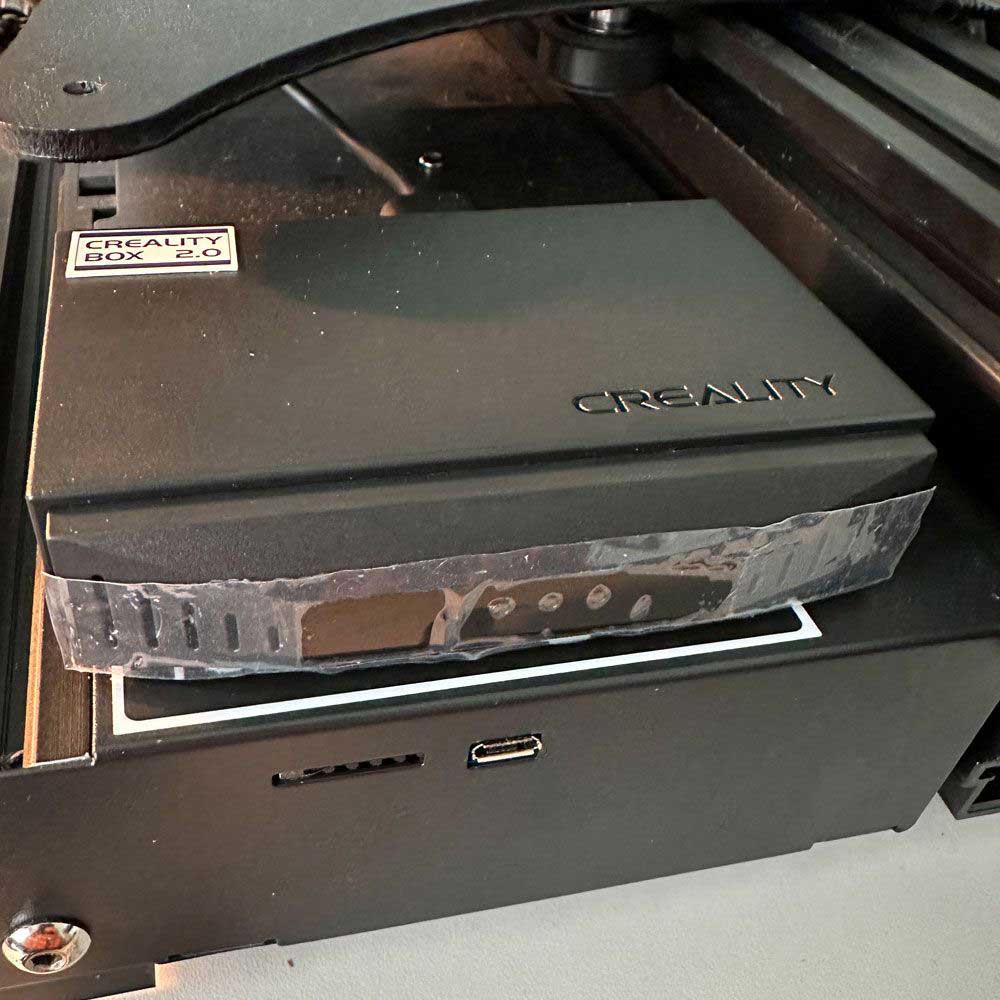
Creality Wi-Fi Box 2.0, Legacy 3D Printers Gain New Life
Tech And Tools – Creality Wi-Fi Box 2.0
Need a boost, the Creality Wi-Fi Box brings Wi-Fi and Bluetooth connectivity to your legacy Creality printer. Deploy Wi-Fi connectivity to Creality printers easily with the Creality Wi-Fi Box.
For those of you who are wanting to use Wi-Fi or Bluetooth connectivity, here is your chance. Skip the manual process, deploy the Wi-Fi Box. Easily share slices with legacy 3d printers over the airwaves. The Creality Wi-Fi Box used Wi-Fi to connect and share slices with your printer. Enabling printers to print without manually uploading slices via nano microsd.
Skip the manual process, use the box to create an ‘Apple Air Print’ like connection, sharing slices with your printer over Wi-Fi. Easily print from your desk chair, or around the home or office by connecting to a Wi-Fi/Bluetooth enabled 3d printer. In this case, the box creates an ip address for your print, easily connect and print via Creality Cloud web application. A bit clunky, there is a learning curve, but it works once the box has been correctly setup.
Creality Wi-Fi Box
Before I discuss the best-case scenario and the benefits of Wi-Fi for legacy Creality devices, let’s first talk about the old-school models. For those of us who still use old printers, MicroSD cards (nano MicroSD), USB 2 cords, and swap nano SD cards and USB sticks, this information will be relevant.
Go this route, if you’re constantly switching USB dongles or nano cards when printing without the Wi-Fi box. Dealing with manual process can be frustrating, so eliminating this step is a huge step forward. Now, this extends the production or manufacturing process to the desktop. It may be old school, but it works. Now, you can tweak designs and settings at the source with confidence.
Quickly, let’s cover the parts – Ender 3 Max Neo, Sprite Extruder Upgrades, MacOS and Creality Cloud Web App. The hardware, specifically the Wi-Fi box, the Wi-Fi box is simple, assuming compatible hardware and software. Drivers and software can be found online in the event of a reset or failure.
A simple device reset at the box (using a pin or paperclip to press the reset button on the side of the device). Once an IP address has been established, you can easily connect to your printer. Sit down, go through your sketch or drawing export process, and send the slice directly to a printer via Wi-Fi/Bluetooth. Finally, you can kick off the print job using Wi-Fi/Bluetooth slicer software.
While we are discussing connectivity, it might be worth sharing a quick comparison between the Sonic Pad and Creality Wi-Fi Box. I have both, one more successful than the other. The two are great products, only the one, the Wi-Fi box worked more consistent, clean prints. Once setup, variables the same, meaning same slice at the source, using Creality cloud printing on the same printer. The Sonic Pad allows for “at printer” setting adjustment. However, what I found was this.
Assuming no slice variance, the Wi-Fi box included a default template or printer settings. Again, assuming no variance, I didn’t need to fine tune the slice any more than at the source file within the Creality Cloud slicing app. So, the idea of further adjustment created more challenges, distorting output performance and finish. Meaning, when using the Sonic Pad, I had more features with less successful prints.
Today, the Sonic Pad sits in the drawer, while Wi-Fi boxes are deployed and used for production. I may need to resell it via eBay at somepoint as it doesn’t work with my setup. The takeaway, the Sonic Pad doesn’t recognize the Ender Series printers, so the print template is custom, and most of the time it’s a printer recognition issue. The printer series is not recognized by the source, and creates a redundancy issue. Again, KISS – Keep it super simple, I found it easier to change settings at the source and eliminate variables at the output.
Please note that I have not yet set up the Creality Wi-Fi Box, so there is no Wi-Fi available for the legacy Creality devices I own. We will get something up here shortly, once the rebuild is complete which should take about a week or two to wrap up.
Rebuild pt 1 – involves installing a new drive, assembling, and finding the backplate. Currently, we are reconnecting the new assembly housing, heating element, etc. rebuild part 2* did start the today this article was posted. *Article was updated, so that we could share a link to the second article.
Finally, we will cover Creality solutions for older 3D printers such as the Creality Ender 3 Neo Max.
Comments
One response to “Wi-Fi For Legacy 3D Printers, The Reliable Creality Wi-Fi Box 2.0”